
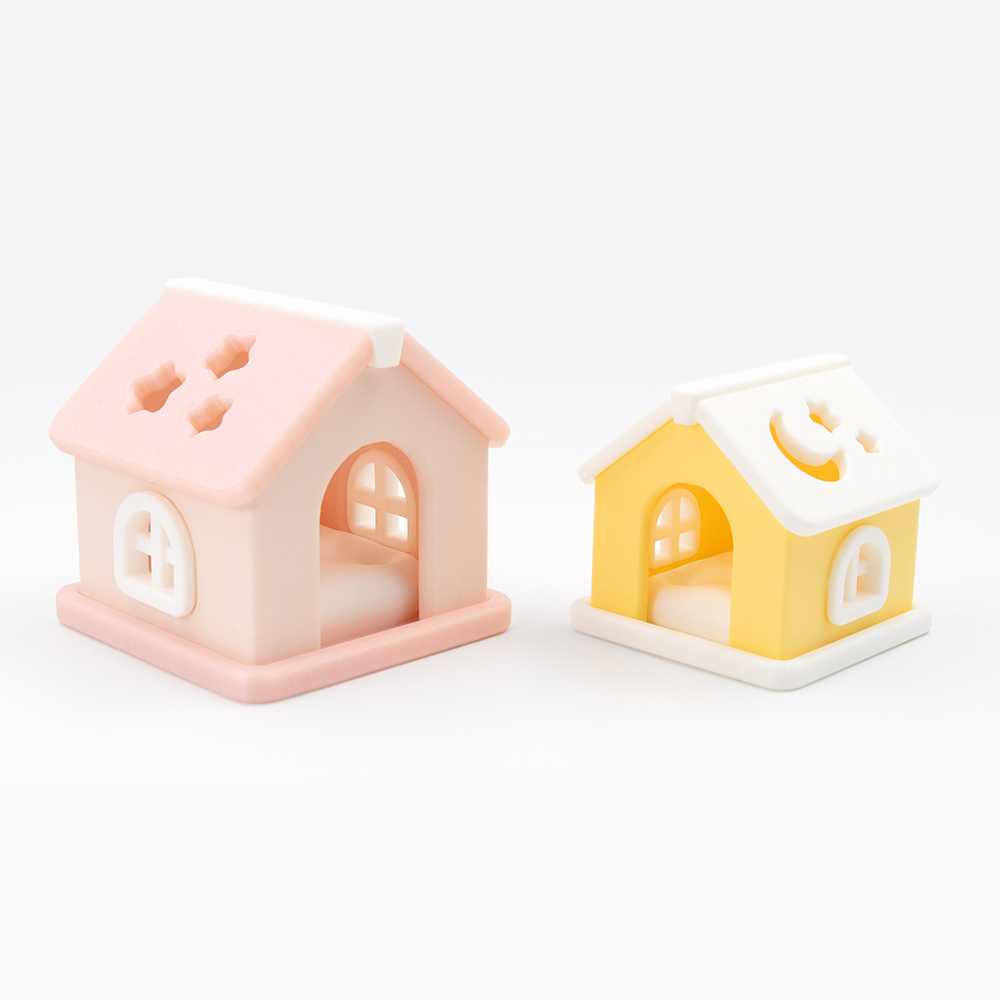
🏡 Quick Reference Guide

Dreamy Pet House
Printing Tips

Everything you need to print your Dreamy Pet House — from slicer settings to assembly and customisation.

Dreamy Pet House – kawaii 3D printed display and playset by DigiMarvels
View on Patreon →
📦 What's Included ⚙️ Settings 🎨 Filaments 🔧 Assembly 🔗 Useful Links
📁

Files & Parts

7 STL Files — one per part · print individually · fit together
🏠 Base ☁️ Pillow 🧱 Platform 🪵 Roof Beam 🏠 Roof Left 🏠 Roof Right 🪟 Window
1 3MF File — prearranged · ready to slice  ▾ preview
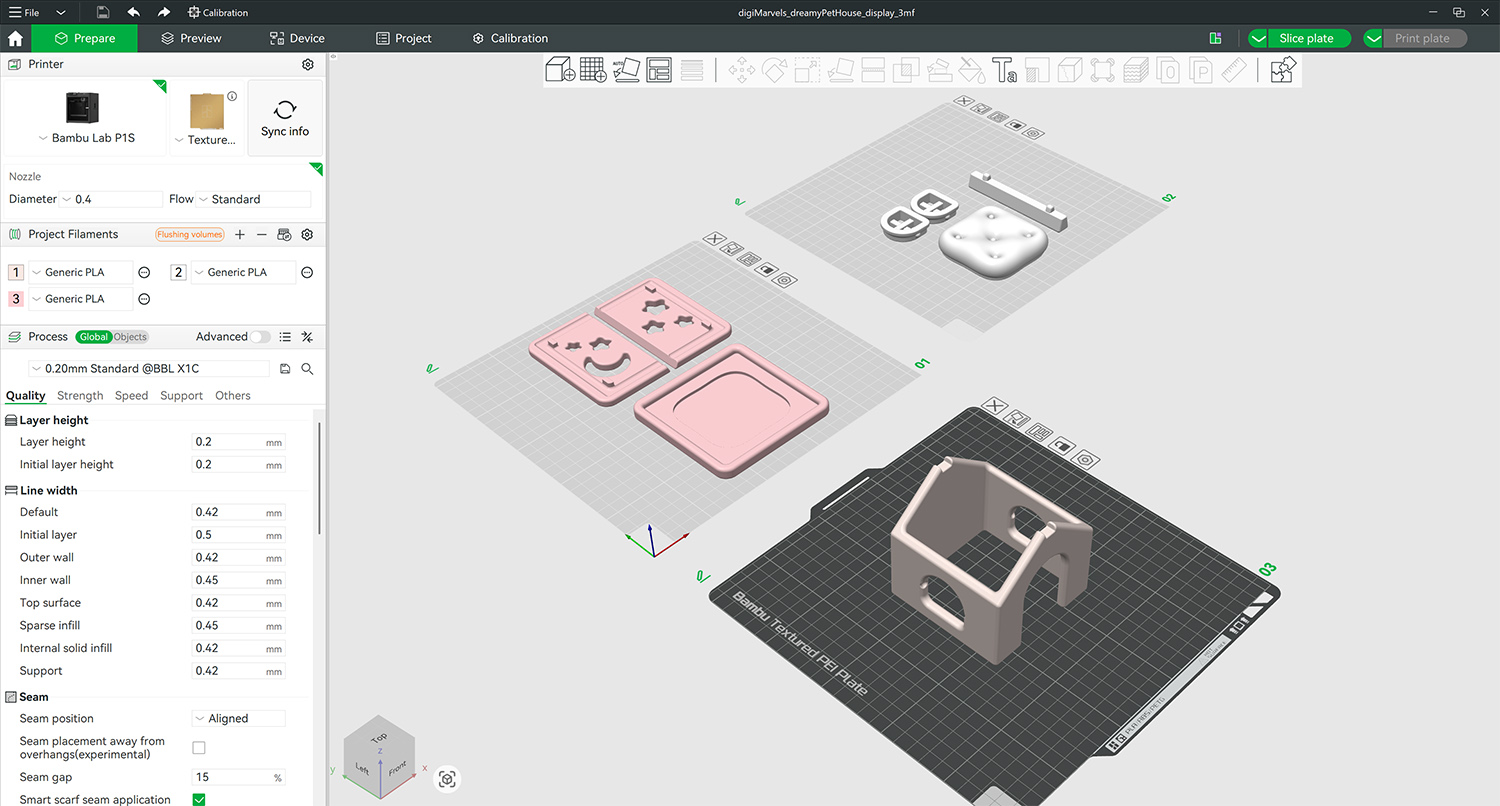
3MF layout preview — Dreamy Pet House colour presets arranged in slicer
Click to enlarge
💡 Two ways to enjoy it — glue the parts together for a cute display piece, or leave them loose and use it as a sensory playset. The fit is intentionally relaxed so both options work perfectly.
⚙️

Printing Settings

Layer
0.2 mm · Adaptive for Pillow recommended
Infill
10% — Honeycomb · 15% for 80% scale Base
Material
Basic PLA
Supports
None needed
Brims
None needed
Assembly
Glue after printing
🎨

Filaments Used

Bambu Lab Basic PLA
Beige White
Polymaker PolyTerra PLA
Mint Banana Yellow
Cookiecad Elixir PLA
Teal
Polymaker Panchroma Celestial PLA
Pink
🏠

Putting It Together

The parts are designed with a relaxed fit — this is intentional. It means you can choose how you want to use your house:

  • Display piece — apply a small dot of super glue to each joint and press together.
  • Sensory playset — skip the glue entirely. Each part slots into its own place — no glue, no snapping. Easy to put together and take apart like a little building set.
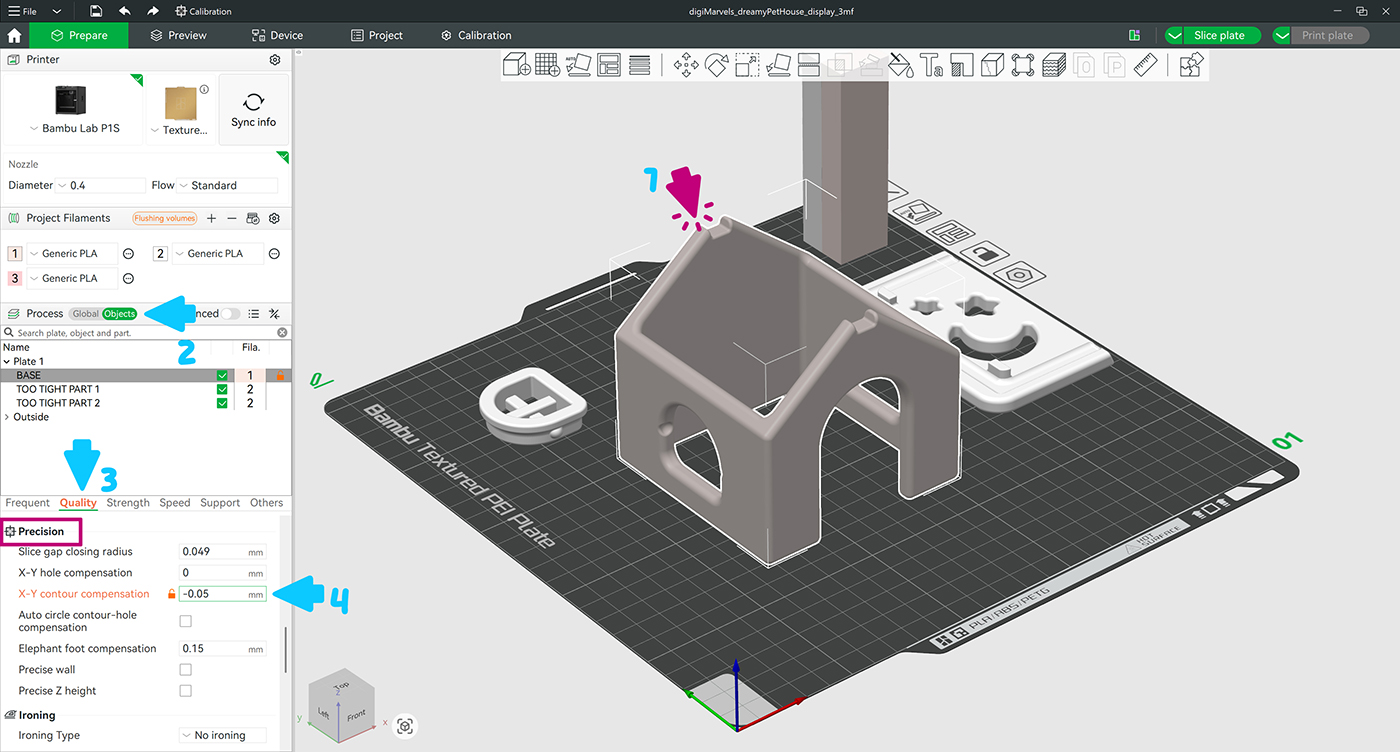
🤏 Parts too tight to fit together? tap to expand
In Bambu Studio: Quality → Precision → X-Y Contour Compensation → start with a small negative value like −0.05 mm, increasing incrementally until the fit is right.

Apply it on the part which is too tight. If all the parts are tight — apply it only to the Base. Use the Object Mode ▾ preview
Object Mode — X-Y Contour Compensation applied to Base
Enlarge


✓ Works with Bambu Studio Orca-Flashforge Anycubic Slicer Next
Happy Printing! 🏡